Why is My AFM Disabler Causing a Check Engine Light?
AFM disabler check engine light issues can be extremely alarming right after installing a new device, but they are almost always a quick, harmless configuration error rather than actual mechanical damage. The dedicated team of automotive experts at Gadon Store is here to help you resolve this trouble code permanently.

Premium Auto Parts
Gadon™ AFM/DFM Disabler - Keep Your V8 Running Strong
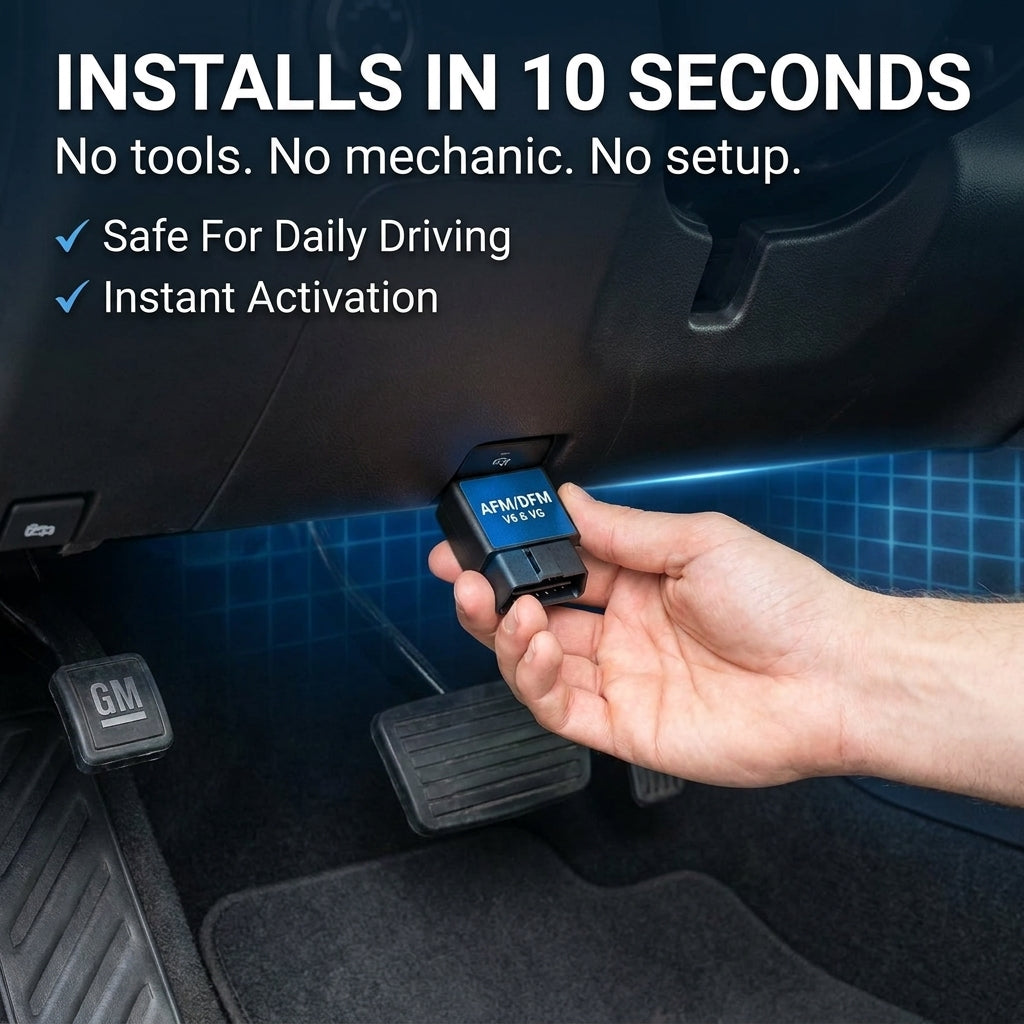
Prevent mechanical lifter failure and keep your GM V8 running smoothly with our 10-second plug-and-play solution. No ECU flashing required, leaving no traces behind.
Hotline: +1 813-408-1627
LEARN MORETable of Contents
- 1. What is an AFM Disabler Check Engine Light? Overview and core concepts
- 2. Why is Resolving an AFM Disabler Check Engine Light Important? Unmissable benefits
- 3. Detailed analysis of AFM Disabler Trouble Codes and ECU Communication
- 4. Step-by-step guide on Clearing an AFM Disabler Check Engine Light for beginners
- 5. Mistakes to avoid when troubleshooting? Expert advice from Gadon Store
- 6. Frequently Asked Questions about AFM Disabler Check Engine Lights (FAQs)
- 7. Related Guides
- 8. Elevate your driving experience with solutions from Gadon Store
What is an AFM Disabler Check Engine Light? Overview and core concepts
An AFM disabler check engine light is a temporary diagnostic trouble code (DTC) stored in the engine control unit (ECU), typically triggered by an electrical handshake delay or a loose connection at the OBD2 port immediately following module installation.
When you plug a device into the vehicle's diagnostic link connector, the device communicates with the controller area network (CAN bus) to intercept signals for active cylinder deactivation. If the ignition key is turned on during this precise split-second connection, or if the unit is not pushed completely into the port pins, the vehicle's diagnostic computer flags a communication anomaly. This creates a temporary fault code, illuminating the amber malfunction indicator lamp on your dashboard. The core characteristics of this warning include:
- Non-destructive anomaly: It does not indicate mechanical failures, short circuits, or damage to your vehicle's cylinders.
- Handshake synchronization error: A temporary lag in communication between the module and the ECU can trigger the alert.
- Exclusively electronic: The signal is purely software-based and relates to CAN bus ping rates rather than actual physical engine health.

Why is Resolving an AFM Disabler Check Engine Light Important? Unmissable benefits
Resolving an AFM disabler check engine light ensures your engine successfully operates in full-time V8 mode with proper communication channels, completely protecting mechanical lifters from catastrophic failure while keeping your dashboard free of distractions.
Restores Full Active Engine Diagnostics
Having an active check engine light blocks you from knowing if a new, serious issue occurs. Clearing the light resets the diagnostic state so the system can alert you to other issues. This ensures you maintain full visibility into your powertrain status at all times.
Maintains Smooth Engine Optimization
When the light is cleared, the vehicle runs with full electronic efficiency, preserving the full-time V8 configuration that prevents lifter wear and cylinder drop issues by 100%. This maximizes performance while avoiding costly repairs down the line.

Advanced Auto Tools
V500 OBD2 Scanner - Master Your Engine's Health
Identify underlying engine codes instantly before they turn into major repair bills. An essential tool for any GM truck owner looking to maintain peak performance.
Hotline: +1 813-408-1627
LEARN MOREDetailed analysis of AFM Disabler Trouble Codes and ECU Communication
To truly grasp the mechanics of dashboard fault warnings, we must dissect how the disabler communicates with the Engine Control Unit. The diagnostic port uses specific high-speed protocols to relay engine commands. When an AFM disabler is installed, it actively pings the ECU to block the command that shifts cylinders to V4. If this message is delayed, the system registers a communication mismatch.
Communication Protocols and CAN Bus Shaking
The module operates on the controller area network (CAN) to transmit data packets. When you plug in the device, the ECU expects instantaneous synchronization. A microsecond delay during the diagnostic handshake can flag a communication fault, generating a soft U-code error.
Misfire Prevention and Diagnostic Trouble Codes
Normally, a failing AFM system produces codes like P0300 (random cylinder misfire), or specific cylinder misfire codes (P0301, P0304, P0306, P0307). The disabler blocks these future codes by keeping all cylinders firing, but any pre-existing codes must be cleared separately using a proper scanning device.
U-Codes versus P-Codes
A communication issue typically throws a U-code (such as U0100 or U0101) representing lost communication with the Engine Control Module. A P-code represents a powertrain failure. Understanding this distinction is essential for pinpoint troubleshooting without guessing.

| Factor | Detailed Description | Role/Impact |
|---|---|---|
| U0100 / U0101 Code | Lost communication with ECM/TCM. | Occurs when module is plugged in with the key in the ignition. |
| P0300 Code | Random cylinder misfire. | Prevented by disabler, but existing instances must be cleared manually. |
| Pin Contact | OBD2 connector pin physical mating. | Ensures continuous power flow and prevents voltage-induced fault lights. |
| Power Cycle | Waiting exactly 300 seconds before reinserting. | Clears short-term RAM inside the vehicle's diagnostic processor. |
| Fuse Health | Check the cigarette lighter or AUX power fuse (usually 15A). | Powers the OBD2 port; if blown, the disabler cannot power on. |
Step-by-step guide on Clearing an AFM Disabler Check Engine Light for beginners
Clearing a diagnostic trouble code after a fresh installation is a straightforward process when executed systematically. Follow these highly detailed technical instructions to clear the warning lamp and secure your system's communication channels.
Step 1: Power Down and Prepare the Vehicle
Cut power to all onboard computers to stop active data exchange.
- Purpose: Ensures the vehicle's electronic modules go completely quiet before hardware changes.
- Tools needed: None.
- Specific actions: Turn the ignition key to the complete OFF position and pull the physical key out of the ignition barrel. Open the driver's side door to trigger the Retained Accessory Power shutoff. Leave the door open for exactly 180 seconds to ensure all control modules fall into sleep mode. Gently reach under the steering column to the OBD-II port, grasp the outer plastic casing of your AFM disabler, and pull it straight down to remove it.
- Expected results: The instrument cluster screen turns black, and all activity LEDs on the disabler go dark, indicating a zero-power state.
Step 2: Clear Short-Term Memory and Reseat
Discharge static electricity and ensure perfect physical pin mating.
- Purpose: Allows temporary RAM memory to drain, resetting communication parameters.
- Tools needed: Clean microfiber cloth.
- Specific actions: Wait exactly 300 seconds with the device unplugged to drain remaining power from the module's capacitors. Inspect the 16 copper female pins inside the vehicle's OBD2 port for dust, lint, or bent terminals. Clean the port gently with a dry microfiber cloth if needed. Align the module parallel to the port interface without angling it. Push the module straight into the connector with firm, steady pressure until it bottoms out completely against the socket.
- Expected results: The module's internal LEDs turn on immediately, indicating steady 12V power from pin 16.
Step 3: Run the Handshake Cycle
Align communication clocks between the module and the vehicle ECU.
- Purpose: Synchronizes CAN bus data rates before firing the engine.
- Tools needed: Ignition key.
- Specific actions: Insert the key into the ignition cylinder. Turn the key to the 'Run' position (the position right before cranking, where the dashboard lights illuminate). Do not start the engine. Watch the LED lights on the disabler flash sequentially for exactly 15 seconds. Once the flashing stops or transitions to a solid state, turn the key to start the engine.
- Expected results: The engine starts smoothly, and the green/blue status lights on the module stay solid, showing active communication.
Step 4: Diagnostic Scan and Clear
Read and permanently erase stored trouble codes from the ECU memory if the light persists.
- Purpose: Deletes stale historical codes that prevent the check engine light from resetting organically.
- Tools needed: V500 OBD2 Scanner, Heavy Duty OBD2 Y-Splitter Cable.
- Specific actions: Plug the male end of the Y-splitter into your OBD-II port. Plug your AFM disabler into one female end of the Y-splitter. Plug your diagnostic scanner into the other female end. Turn the ignition to 'Run', navigate to 'Read Codes' on your scanner, identify the fault (typically U0100 or P0300), select 'Clear Codes', and confirm.
- Expected results: The scanner displays "Clear Successful", and the dashboard check engine light disappears completely.

Premium Accessories
Heavy Duty OBD2 Y-Splitter Cable - Run Multiple Devices
Run both your AFM disabler and diagnostic scanner at the exact same time without data conflict. Built with premium shielded wiring to prevent signal dropouts.
Hotline: +1 813-408-1627
LEARN MOREMistakes to avoid when troubleshooting? Expert advice from Gadon Store
Troubleshooting your electronic system requires precision. Avoid these critical mistakes to protect your truck's sensitive computers:
- Hot plugging during active engine operation: Plugging or unplugging the disabler while the engine is running or when the ignition is in the 'Run' position can disrupt the CAN bus sequence and throw a hard fault code. Gadon Store solution: Always ensure the ignition is fully OFF and wait exactly 60 seconds before disconnecting.
- Neglecting the OBD-II port fuse: If the disabler lights fail to illuminate, many owners assume the device is defective without checking the power supply. Gadon Store solution: Inspect the AUX/Cigar lighter fuse in your engine bay or passenger cabin fuse block and replace if the 15A filament is blown.
- Failing to clear historical codes: An AFM disabler prevents new AFM-related misfire faults, but cannot erase codes that were stored weeks before. Gadon Store solution: Run a diagnostic scan to clear old codes so the disabler has a clean slate to operate.
Frequently Asked Questions about AFM Disabler Check Engine Lights (FAQs)
Did the disabler damage my truck's engine?
No. A check engine light appearing right after installation indicates a temporary communication fault or a pre-existing code, not mechanical damage. Your engine's hardware remains completely safe.
Will the AFM disabler clear historical codes by itself?
No. The disabler prevents future AFM-related misfires from triggering, but it cannot delete pre-existing codes stored in the ECU memory. You must use an OBD2 scanner to manually clear old codes.
Is it mandatory to turn off the engine before plugging in the module?
Yes. Plugging the module in while the ignition is active can spark momentary CAN bus errors. Always turn the key to the off position before connecting the device.
Will the disabler leave traces that void my dealer warranty?
No. Simply unplug the disabler before you visit the dealership. Because it does not flash or modify the ECU's core software, it leaves no diagnostic footprints or traces behind.
Related Guides
- OBD2 AFM disabler: the 10-second V8 fix
- Silverado P0300 code: diagnosing misfires
- Do AFM disablers drain your battery?
- The best AFM disablers for GM V8 trucks
Elevate your driving experience with solutions from Gadon Store
Maintaining a reliable V8 engine requires precise electronic synchronization. At Gadon Store, we provide top-tier OBD2 solutions that stop cylinder dropping and keep your lifters perfectly lubricated. Get the direct support you deserve and keep your drive smooth. Reach our expert team on WhatsApp at +1 813-408-1627 or email us at contact@gadon.store to secure your vehicle's peak performance.
Need a hand clearing the light?
Reach our team by WhatsApp, phone, or email at contact@gadon.store and we will walk you through it.
Note: This article is for reference and is compiled from the Gadon Store team's experience. A disabler prevents future AFM codes but does not clear stored ones. Contact contact@gadon.store or +1 813-408-1627 for support.